How to keep floating notes on top on a Mac
Your Mac already includes Stickies, which works well for short notes. FloatyNotes is for when you also need files, images, audio and video within reach.
Option 1: Use Apple's Stickies
- Open Stickies from your Applications folder.
- Click the note you want to keep visible.
- In the menu bar, choose Window, then Float on Top.
It's free, already on your Mac, and each note gets its own window.
Option 2: Use FloatyNotes
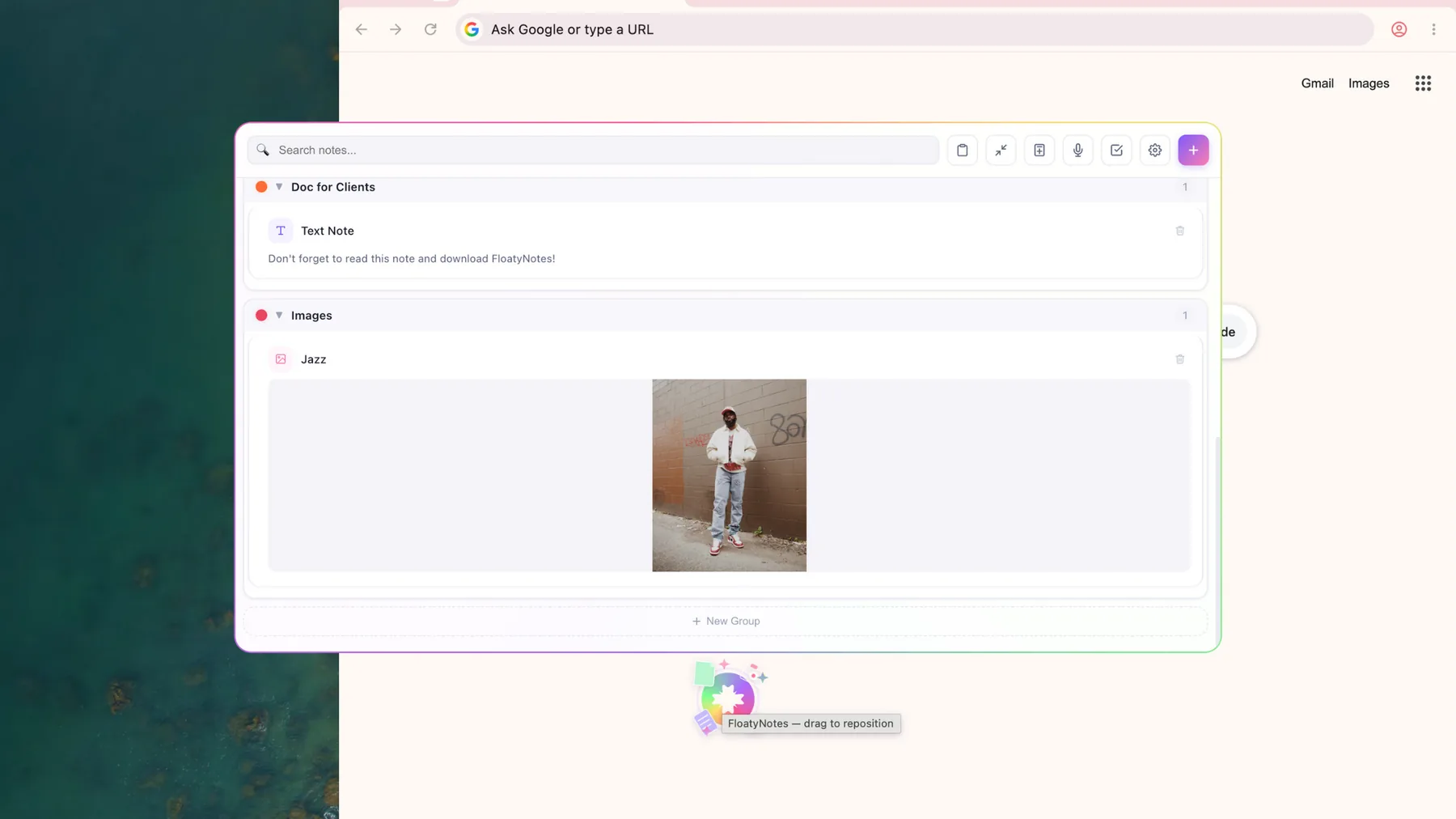
FloatyNotes is a small floating icon that opens into a panel of everything you've saved. Drag in text, images or files from any app, then drag them out when you need them. Your notes and files stay on your Mac.
Everything lives in one panel, so you can't yet float a single note in its own window.
For Apple silicon and Intel Macs. No card required. Then $4.99/month or $39.99/year.
Which should you use?
- Short text notes: Stickies is free and does the job.
- Several separate notes around your screen: Stickies is the better fit today.
- Notes plus files and media: FloatyNotes is built for that.
- Things you move between apps all day: FloatyNotes lets you drag them back out.
Common questions
Is the Mac app safe to install?
The Mac app is signed and notarized by Apple, so it shouldn't show the warning macOS gives for unidentified developers.
Will it appear over full-screen apps?
It's designed for normal windows and may not appear over full-screen apps. Test your setup during the free trial.
FloatyNotes is made by LeLuxe Tech LLC and isn't affiliated with Apple. Mac and Stickies are trademarks of Apple Inc.